
If your organization has enabled a Social Service Anniversary or Social Birthday program, you and your colleagues can help celebrate employee milestones by recognizing service anniversaries and birthdays. These celebrations foster a culture of appreciation and help employees feel valued, included, connected, and recognized within the workplace.
Things to know about Social Service Anniversary or Social Birthday programs:
- Employee Opt-In / Opt-Out (Important): Participation in Social Birthdays and Social Service Anniversaries is optional and controlled by each employee.
-
- If you opt out, your celebration will not appear on the Upcoming Celebrations calendar, and you will not receive peer recognition for that event.
- How to Opt-In or Opt-Out of Social Birthdays and/or Social Service Anniversary
- By default, all users are automatically opted in to Social Service Anniversary programs and opted out of Social Birthday programs.
- When participating, your service anniversary and/or birthday may be shared with your organization, displayed in the Upcoming Celebrations calendar, and eligible to receive recognition and congratulatory messages from your peers.
- If you would like to change your participation preferences, you can opt in or opt out at any time by updating your profile settings. Follow the steps below:
- Log in to your Connects.
- Select Profile from the menu.
- Click Settings.
- Scroll down to the Preferences section.
- To opt in or opt out of birthday recognition, check/uncheck Recognize me on my birthday.
- To opt in or opt out of service anniversary recognition, check/uncheck Recognize me on my service anniversary.
- View Upcoming Celebrations for your peers
- Invite Others to the Celebrations to share in the connection
See link to How to View Upcoming Celebrations for more information.
- Notifications:
.png?width=568&height=150&name=image%20(9).png)
-
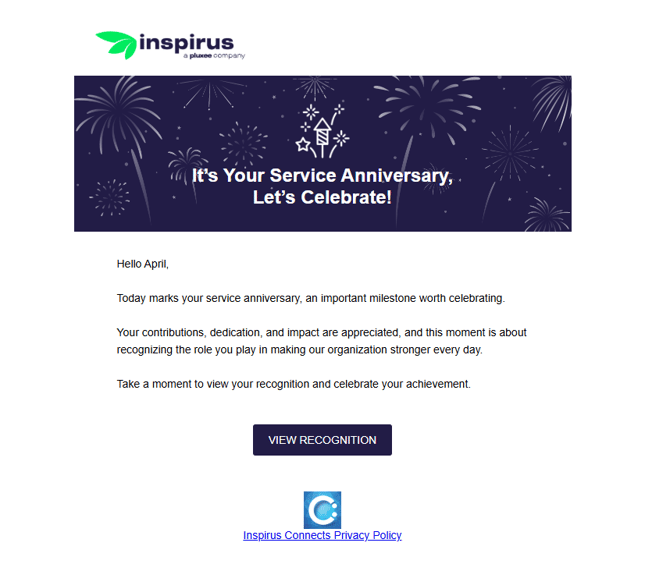
- Employees receive an email and in-app notification on their celebration day.
-
- Employees receive a recognition message that contains the messages from their manager and peers on your special day.
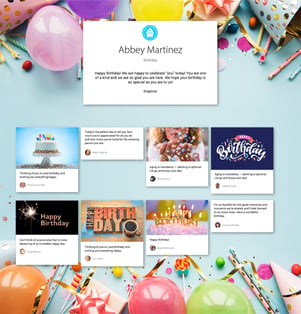
- You can revisit and enjoy these recognition moments anytime by accessing your Recognition Profile, where your received recognition history is stored for future viewing.